


Need immediate support?
If you need technical support for your Dynacom software, several options are available depending on your situation.
Request support from within your Dynacom software
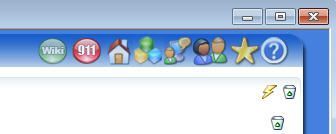
If you can access your Dynacom software, this is the quickest way to submit a support request. The current page instructs users to click the 911 button located at the top right of the Dynacom homepage inside the software.
The 911 button
01
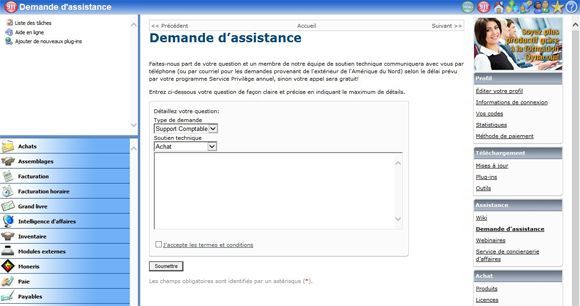
After clicking the button, you are redirected to the Members section, where you can create and submit a technical support ticket by describing your issue.
The members section
02
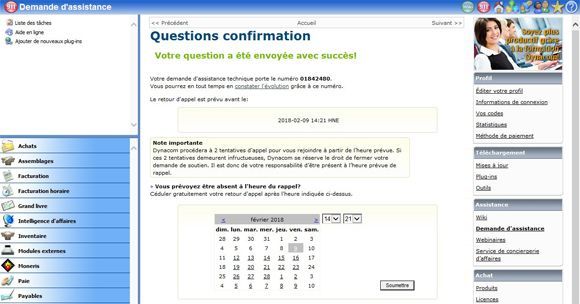
Once your request has been sent, you can adjust the callback time to a moment that is more convenient for you. A confirmation email will then be sent to the email address listed in your profile to confirm that your service call has been placed with Dynacom Technical Support.
The service call
03
Request support from the website
If you cannot access your Dynacom software, you can still request technical support through the Members section on the website. The current page says users can log in to the Members section using the link available at the top of the page.
If you have lost your connection credential
If you lost your connection information to both your Dynacom software and the Members section, please contact a Dynacom representative. The callback time specified in your Preferential Service plan cannot, however, be guaranteed.